
V-Stack
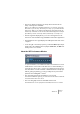



Table Of Contents

V-STACK
6 – 60 VST Instruments
Activating and using VST Instruments
1. If the VST Instruments panel isn’t open, open it by selecting it from the
Devices menu.
The VST Instruments panel has 16 slots, each capable of holding a VST Instrument.
2. Pull down the pop-up menu for an empty slot in the panel and select
the desired instrument.
The selected instrument is loaded into the slot and a number of settings are shown:
3. Pull down the MIDI input pop-up menu to the left in the slot and select
the MIDI input you want to use.
If you are using VST System Link, you should select a “System Link” MIDI port (see
page 43). If you are playing V-STACK by itself, you should select the MIDI input to
which you have connected your MIDI keyboard or similar.
4. If you are using VST System Link, you need to route a MIDI track in the
host application so that it plays the VST Instrument in V-STACK.
Select the “System Link” MIDI port as output for the MIDI track (the same port you se-
lected as input for the VST Instrument in the previous step).