
V-Stack
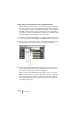

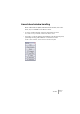
Table Of Contents

V-STACK
VST Instruments 6 – 63
A note about VST Instruments and CPU power
You can have up to 16 VST Instruments activated at the same time, dif-
ferent models or several instances of the same instrument. However,
software synthesizers can consume quite a lot of CPU power – keep
an eye on the VST Performance window to avoid running out of proces-
sor power.
• Although it’s possible to deactivate a VST Instrument by clicking its
“power button”, it will still require some processor power. To minimize
unnecessary CPU load, remove all VST Instruments that you do not need
by pulling down the pop-up menus for the slots and selecting “No VST
Instrument”.
Selecting patches
To select a patch for a VST Instrument, use its patch pop-up menu in
the VST Instruments window.
The available patches depend on the VST Instrument. Not all VST
Instruments come with pre-configured patches.
Selecting patches via MIDI
If the VST Instrument supports the VST 2.1 standard (or later), it
responds to MIDI Program Change and Bank Select messages, just
as with “real” physical MIDI instruments. This means you can select
patches from your MIDI keyboard or from the other VST System Link
application.