
V-Stack
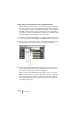
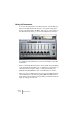

Table Of Contents

V-STACK
6 – 64 VST Instruments
Editing VST Instruments
To access the parameters for the VST Instrument, click the Edit (“e”)
button in the VST Instruments window or in its channel strip (at the
bottom of the fader strip) in the Mixer. This opens a “control panel” for
the VST Instrument where you can view and adjust the parameters.
For details about the parameters, see the documentation of the VST
Instruments.
• Please note that all VST Instruments can be edited using a simplified
control panel (horizontal sliders only, no graphics) if you prefer this. To
edit an instrument using this “basic” control panel instead, press
[Ctrl]/[Command]+[Shift] and click on the Edit button for the slot.
• When you remove a VST Instrument from a slot in the VST Instruments
rack, V-STACK saves all settings regarding MIDI port, MIDI channel,
patch, transposition and keyzone range. When you load this instrument
again, the settings are restored.