
V-Stack
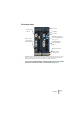
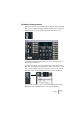
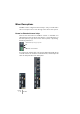
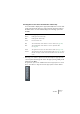
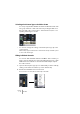

Table Of Contents

V-STACK
The Mixer 7 – 71
The channel strips
A VST Instrument channel strip and a group channel strip. As you can see, these
have the same controls except for the lower “e” button on the VST Instrument
channel strip (which opens the control panel for the instrument).
• You can also extend the Mixer to include an upper area for the channel
strips. This can show EQ, sends or insert effects. See page 76.
Level meter
Level fader
Pan control
Edit button (opens the
Channel Settings window,
see page 75)
Insert/EQ/Send indi-
cators and bypass
buttons.
Channel output
routing pop-up
Channel name field
This opens the
control panel for
the VST Instrument
Mute and Solo
buttons