
V-Stack
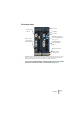
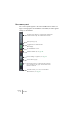
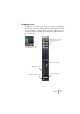
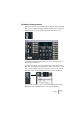
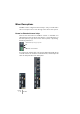
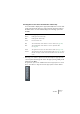
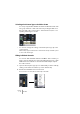

Table Of Contents

V-STACK
7 – 72 The Mixer
The common panel
The common panel appears to the left in the Mixer and contains set-
tings for changing the look and behavior of the Mixer, as well as global
settings for all channels.
Channel Settings Copy/Paste, see page 95.
Global Solo/Mute Off, see page 83.
These buttons allow you to determine which channel
types should be shown, group channels and/or VST
Instrument channels.
Show/hide Master section.
Channel Select pop-up.
The View Option buttons for setting what to display in the
extended channel strip. Not visible in Normal mode.
View Options pop-up.
Toggle between normal/extended
Mixer display.
This button allows you to save, load and delete
Mixer View Sets, see page 80.