
V-Stack
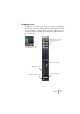
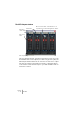
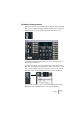
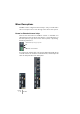
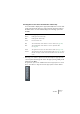
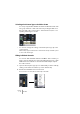

Table Of Contents

V-STACK
The Mixer 7 – 79
3. Repeat steps 1-2 for each channel that you wish to hide.
4. When you have activated “Hideable” status for all channels you wish
to hide, pull down the Global View Options pop-up on the common
panel and deactivate the “Hideable” option.
When the “Hideable” item is deactivated (unticked) on the common
panel View Options pop-up, all individual channel strips that are set to
“Hideable” status will be hidden in the Mixer.
5. To make hidden channels visible again, activate Hideable on the com-
mon panel View Options menu.
You can store different configurations of the show/hide status for channels by using
the Channel View Sets function, see page 80.
Setting the width of channel strips
Each channel strip’s width can be sized to either “Wide” or “Narrow”
mode from the View Options pop-up at the top of each channel strip.
• Narrow channel strips contain a narrow fader, miniature buttons, plus
the View Options pop-up.
Only a blank panel is shown in the extended section for narrow channel strips. If you
select to show parameters in the extended section of a narrow strip, the channel strip
will automatically be resized to wide.
• When selecting wide or narrow channel strips from the common
panel View Options pop-up, all channel strips are affected.