
V-Stack
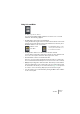
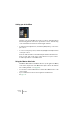
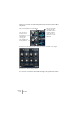
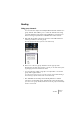
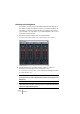
Table Of Contents

V-STACK
7 – 84 The Mixer
Setting pan in the Mixer
The pan control
The Pan controls in the Mixer are used to position a channel between
the left and right side of the stereo spectrum. For stereo channels they
control the balance between the left and right channels.
• To make fine pan adjustments, hold down [Shift] when you move the
pan control.
• To select center pan position, hold down [Ctrl]/[Command] and click
on the pan control.
Note also that the faders in the VST Outputs window determine the
levels of each “side” in the stereo output. There are no pan controls
for VST output buses or the Master bus.
Using the Master Gain fader
The Master Gain fader in the Master Section (to the right in the Mixer)
controls the output level of the Master bus (this is where all channels
are routed by default – see page 90).
• You can hide or show the Master Section with the Show Master button on the
common panel.
• Up to four Master insert effects can be applied to the Master bus.
See page 112.