
V-Stack
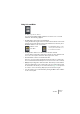
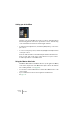
Table Of Contents

V-STACK
7 – 88 The Mixer
EQ reset
The Reset button in the lower left corner of the EQ section in the
Channel Settings window will reset all EQ parameters to their default
values and turn off all EQ modules.
Using EQ presets
Some useful basic presets are included with the program. You can use
them as they are, or as a starting point for further “tweaking”. To call up
a preset, pull down the presets pop-up menu at the bottom of the EQ
section in the Channel Settings window, and select one of the avail-
able presets.
Storing and removing EQ presets
If you have made EQ settings you wish to store for use elsewhere in a
project, you can store them in a preset. Proceed as follows:
1. After making settings, click on the store button (plus sign) to the right
of the presets pop-up menu.
The settings are stored with the default name “Preset” and a number.
2. Double click in the preset pop-up field and type in a new name if you
wish.
• To remove a preset, simply select it and click the remove (minus sign)
button.