
V-Stack
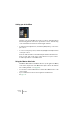
Table Of Contents

V-STACK
The Mixer 7 – 89
Routing
Using group channels
You can route the outputs from multiple VST Instrument channels to a
group channel. This enables you to control the channel levels using
one fader, apply the same effects and equalization to all of them etc.
There are four group channels in V-STACK. Proceed as follows:
1. Pull down the Output routing pop-up menu for the VST Instrument
channel you want to route to a group.
This is the pop-up menu at the very bottom of the channel strip.
2. Select one of the four group channels from the pop-up menu.
By default, these are titled “Group Channel 01-04” but you can rename them by click-
ing and typing in the name fields below the faders.
• You can route the output of a group to an output bus or to another
group with a higher number.
You cannot route a group to itself or to groups to the left of it in the Mixer. Routing is
done with the pop-up menu at the bottom of each channel strip.
• Solo and Mute functionality is automatically linked for a channel
routed to a group and the group channel itself, in the following way:
If you mute or solo a group channel, all channels routed to the group are automatically
muted or soloed as well.