
V-Stack
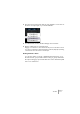
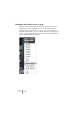
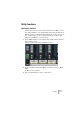
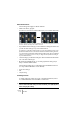
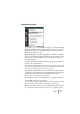
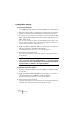

Table Of Contents

V-STACK
7 – 96 The Mixer
Initialize Channel
The Initialize Channel button can be found at the bottom of the Chan-
nel Settings common panel. It resets the selected channel to the de-
fault setting. Default settings are:
• All EQ, Insert and Send effect settings are deactivated and reset.
• Solo/Mute is deactivated.
• The fader is set to 0dB.
• Pan is set to center position.
Changing the meter characteristics
You can change the Mixer’s level meters characteristics for audio
channels: right-click anywhere on the Mixer panel to bring up the
Mixer context menu. On the menu there are two options for Meter
characteristics: “VU-Meter Fast” and “VU-Meter Hold”.
• If “Fast” is activated (ticked), the meters respond very quickly to level
peaks.
If “Fast” is deactivated, the meters respond more like standard VU meters.
• If “Hold” is activated (ticked), the highest registered peak levels are
“held” and are shown as static horizontal lines in the meter.
Hold activated