
User Guide


12
COOKTOP OPERATION
To activate a heating element, touch the
OFF ON
touch pad that corresponds to the
e
lement you wish to use. The power bar
indicator graph will begin to blink and show
a half-power status.
To complete the element activation, touch one
o
f the following symbols or touch pads of the
element control while the power bar graph is
still blinking:
Touch the ”
+
” or ”
–
” symbol to set the
indicator lights at half-power output and
complete the activation.
Touch
HIGH
to set the power output to full
power and complete the activation.
Touch
SIM
to set the power output to the
lowest power and complete the activation.
To change the power level setting:
Touch
HIGH
to increase power level directly
to full power.
Touch
SIM
or
MELT
to decrease the power
level directly to the lowest power.
Touch
OFF ON
to turn the element off.
IMPORTANT NOTE:
To quickly deenergize all
heating elements, use the universal
OFF
touch
pad located in the lower right area of the
control panel. Refer to the illustration below.
WOLF ELECTRIC COOKTOP USE & CARE
O
O
O
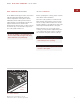
Power level settingsHeating element activation Universal OFF touch pad
DUAL ZONE ELEMENT
T
o activate a dual zone heating element, touch
the
OFF ON
touch pad of the control that
corresponds with the dual zone element. Refer
t
o the illustration on page 12. Set the power
output and complete the activation for the
center element zone as described on page 12.
Touch
ZONE 2
and the outer element zone
will be energized to the same power level
as the inner zone. A light will remain on
under the
ZONE 2
touch pad to indicate
activation of the outer element zone.
Changing the power level setting to the
entire dual zone element is done the same
as for a single element.
Touch
ZONE 2
again to deenergize the
outer ring. The light under the
ZONE 2
touch pad will go out.
The illustrations below and on page 13 show
the control panel of the 36" (914) framed
electric cooktop.
Universal OFF
touch pad
SIM touch
pad
HIGH
touch pad
OFF ON
touch pad
”+” and ”–”
symbols