
Fast Ethernet Adapter Product Note


DisklessClients (Solaris2.3Hardware:5/94Only) 3
2. Use the ls command to list the directory contents.
Different directories for supported architectures will be listed.
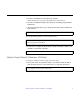
3. Use the cd command and go to the directory containing your particular
architecture.
4. Type the following line to get a listing for the minor device number for
the be0 device:
The resultant listing will have the following format:
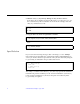
5. For the above example the minor-device-number should be added to the
etc/name_to_major file as follows:
DisklessClients(Solaris2.3Hardware:5/94Only)
For support of diskless client booting do the following:
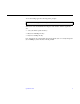
1. Go to your clients root partition and use your favorite editor to add an
entry for the be device to your clients name_to_major file as follows:
# ls -l devices/pseudo/clone@0:be
crw-rw-rw 1 root sys 11,<minor-device number> <date>
/devices/pseudo/clone@0:be
be <minor-device-number>
# cd /export/root/<client name>/etc