
Computer Accessories User Manual

144 SunPCi III 3.2.1 User’s Guide • March 2004
Emulated Hard Drive Issues
The following table describes information about large emulated drives.
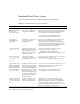
TABLE A-6 Emulated Hard Drive Issues and Solutions
Issue Description Explanation Solution
I just created a new 8-
Gbyteemulateddrive,
but I can only
see 2 Gbytes. Why?
DOS can only recognize file
sizes of up to 2 Gbytes while
doing a FAT installation.
Refer to “FAT16 File System Limitation Issue” on
page 151. You need to partition your emulated drive.
The remaining 6 Gbytes in your emulated drive file
are available to create additional partitions.
You could also do a fresh installation of the
operating system using NTFS auto-install.
Are dual-boot
emulated drivers
supported?
SunPCi III3.2.1 software does
not support dual-boot
emulated drives.
If you want to run different versions of Microsoft
Windows, create an emulated drive for each
operating system and install the operating system
and applications to the emulated drive. To switch
between operating systems, from the Options menu,
choose Use the Attach Drive command.
Disk error message:
Attaching Drive
C.
Changing the permissions
keeps other users from being
able to attach drive C: even
when you are not using the
SunPCi III program.
To change permissions on drive C:, type the
following in a command window:
% chmod 600 ~/pc/C.diskimage
This command makes the drive inaccessible to other
users.
Disk error message:
Non-system disk
or disk error at
startup.
Your C: drive might be
corrupted or you have a non-
bootable diskette in drive A:.
If you do not have a diskette in drive A:, delete the
default C: drive file in $HOME/pc
(~/pc/sunpc.ini) and then restart the software.
I just created a new 8-
Gbyte FAT emulated
drive and installed
Microsoft Windows.
Now my OS partition
won’t boot. Why?
SunPCi automatically creates
a 2-Gbyte partition when you
create a new emulated disk
file, using the first 2 Gbytes of
the new disk. If you installed
Microsoft Windows on the
other partition, DOS does not
recognize it, and the SunPCi
III software does not boot
from that partition.
You need to create a new 2-Gbyte partition for your
operating system. Refer to “FAT16 File System
Limitation Issue” on page 151.
You could also do a fresh installation of the
operating system using NTFS auto-install.
Is there a limit to the
number of partitions
on a single emulated
drive?
No, there is no limit to the
number of partitions, but
there are other limitations.
If you want to create multiple partitions on an
emulated drive, you need to use PartitionMagic.
Remember that Microsoft Windows and DOS only
recognize the 26 drive letters, and that some are
already mapped by default (such as A:, C:, D: or E:).
Refer to PartitionMagic documentation.