
Computer Accessories User Manual



200 SunPCi III 3.2.1 User’s Guide • March 2004
Video Display Routing
The following table describes some video output routing in SunPCi III software.
TABLE D-1 describes the type of video output that occurs for the operating system
you want to use, the video driver you installed, and whether you typed
sunpci -v at the prompt.
Using a Palm Pilot With SunPCi III
Software
The SunPCi III software supports the hotsync function with the Palm Pilot. For best
results select a specific hotsync speed on the Palm Pilot, rather than As Fast As
Possible.
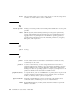
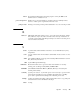
TABLE D-1 Video Display Routing Options
PC Operating System With VGA Monitor Connected Without VGA Monitor Connected
DOS
(-v switch used)
Video is routed to VGA monitor. Video is discarded. SunPCi III window
displays Video routed message.
DOS
(-v switch not used)
Video is routed to SunPCi III
X-Window on your Sun system
screen.
Video is routed to SunPCi III window on
your Sun system screen.
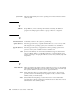
Windows XP
Professional or
Windows 2000
Professional (When
SunPCi III drivers
installed automatically)
Video is routed to SunPCi III
X-Window on your Sun system screen
to use external monitor.
Video is routed to SunPCi III window on
your Sun system screen.