
Computer Accessories User Manual



Preface xxxix
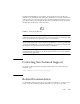
In CDE and OpenWindows environments, keyboard shortcuts use the Meta key
(
FIGURE P-1) in combination with another key. The Meta key is located on either side
of the spacebar on your keyboard. To use a shortcut, hold down the Meta key and
press the second key. For example, the Meta+E key combination means “press both
the Meta key and the E key at the same time.”
FIGURE P-1 Sun Keyboard Meta Key
Note – The discussion in this section applies only to the keyboard shortcuts in the
SunPCi III software. Keyboard shortcuts for each version of Microsoft Windows and
Linux are described in each operating system’s documentation.
When running SunPCi III software and Microsoft Windows, to allow Copy and Paste
operations, the Find, Undo, Copy, Paste, and Cut keys on your Sun system keyboard
are mapped to the appropriate actions in Microsoft Windows.
Note – Not all Linux applications support the Cut, Copy, and Paste keyboard
commands. If this issue happens, use the drop-down menus of Cut, Copy, and Paste
instead in Linux applications.
Contacting Sun Technical Support
If you have technical questions about this product that are not answered in this
document, go to:
http://www.sun.com/service/contacting
Related Documentation
For information and help about the version of Microsoft Windows or Linux you are
using, consult the operating system documentation or your service provider.