
Server User Manual
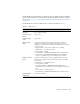

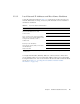
Table Of Contents
- Sun Netra™ CP3250 Blade Server User’s Guide
- Contents
- Figures
- Tables
- Preface
- Overview
- Hardware Installation and Service
- 2.1 Safety and Tool Requirements
- 2.2 Installing the Blade Server
- 2.3 Service Procedures
- 2.3.1 Hot-Swapping the Netra CP3250 Blade Server
- 2.3.2 Powering Off the Netra CP3250 Blade Server
- 2.3.3 Removing the Netra CP3250 Blade Server
- 2.3.4 Powering On the System
- 2.3.5 Automatic Power-Off Events
- 2.3.6 Servicing DIMMs
- 2.3.7 Installing the Optional Compact Flash Card
- 2.3.8 Installing Optional AMC
- 2.3.9 Adding or Replacing the Battery
- 2.3.10 Changing Jumper Settings
- 2.3.11 Checking DIP Switch Settings
- 2.3.12 Resetting the Netra CP3250 Blade Server
- Hardware Architecture
- Software Configuration
- Configuring and Using BIOS Firmware
- 5.1 About BIOS Settings
- 5.2 Changing the Configuration of a BIOS Menu Item
- 5.3 Setting the Boot Device Using BIOS Setup Screens
- 5.4 Setting Supervisor and User Passwords
- 5.5 Resetting the System Time and System Date
- 5.6 Updating the BIOS
- 5.7 Secondary BIOS Image
- 5.8 Perform a Live Firmware Upgrade
- 5.9 Power-On Self-Test
- 5.10 Changing POST Options
- BIOS Screens
- Physical Characteristics
- ShMM CLI and Commands
- Index

2-4 Sun Netra CP3250 Blade Server User’s Guide • April 2009
2.2 Installing the Blade Server
2.2.1 Preparing for the Installation
Prepare for installation by reading and performing the following steps.
1. Become familiar with the contents of the documentation referenced in the steps.
2. Verify that all listed hardware and software are available (see Section 1.6, “System
Components” on page 1-11).
3. Check power, thermal, environmental, and space requirements (see
Section 2.2.1.1, “Check Power, Thermal, Environmental, and Space Requirements”
on page 2-4).
4. Verify that local area network (LAN) preparations are completed (see
Section 2.2.1.2, “Local Network IP Addresses and Host Names Worksheet” on
page 2-5).
5. Ensure that the host names and their network IP addresses are allocated and
registered at the site. Record this information in
TABLE 2-1.
2.2.1.1 Check Power, Thermal, Environmental, and Space
Requirements
Observe that your environment meets the following requirements:
■ Your enclosure specifications can support the sum of the specified maximum
blade server power loads. (See Section B.2, “Power and Thermal Metrics” on
page B-2).
■ Facility power loading specifications can support the rack or enclosure
requirements.
■ Your enclosure specifications can support the cooling airflow requirements.
The Sun Netra CP3250 blade server fits into a standard ATCA shelf. If your
installation requirements are different, contact your field applications engineer.