
Operator's Manual
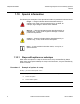
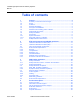
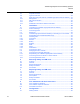
Table Of Contents
- T-Mobile High-Speed Internet Gateway Operator Manual
- 1 Preface
- Table of contents
- List of figures
- List of tables
- 2 ETSI environmental and CRoHS guidelines
- 3 ANSI safety guidelines
- 4 Product description
- 4.1 Product overview
- 4.2 4G/LTE and 5G radio support
- 4.3 4G and 5G band and antenna support
- 4.4 Subscriber Interfaces
- 4.5 Environment
- 4.6 Physical dimensions
- 4.7 Physical interfaces
- 4.8 Typical connection
- 4.9 Mesh Wi-Fi 6 System with the T-Mobile High-Speed Internet Gateway
- 4.10 Management
- 4.11 QR code information
- 4.12 Power
- 4.13 Additional functional and feature information
- 5 Installation
- 5.1 Unpacking the T-Mobile High-Speed Internet Gateway
- 5.2 Product Warnings
- 5.3 Connecting power
- 5.4 Starting up
- 5.5 Downloading the T-Mobile Broadband App
- 5.6 Checking LCD
- 5.7 Connecting to Wi-Fi
- 5.8 Managing the Wi-Fi network
- 5.9 Connecting Accessories (Optional)
- 5.10 Repositioning the T-Mobile High-Speed Internet Gateway
- 5.11 Connecting devices for Wi-Fi or a mesh network
- 5.12 Connecting Ethernet LANs
- 6 Removing battery and SIM card
- 7 Replacing battery and SIM card
- 8 FCC statements and label instructions
- 9 Configuration
- 10 Glossary
- Customer document and product support

ChapterTitleVariable
4
T-Mobile High-Speed Internet Gateway Operator
Manual
Nokia 3TG-01275-AAAA-TCZZA Issue: DRAFT
1.4 Required knowledge
It is recommended that the reader be familiar with general telecommunications
principles.
1.5 Acronyms and initialisms
The expansions and optional descriptions of most acronyms and initialisms used in
this document appear in the glossary at the back of the document.
1.6 Assistance and ordering phone numbers
Nokia provides global technical support through regional call centers. Phone
numbers for the regional call centers are available at the following URL:
https://customer.nokia.com/support/s/
.
For ordering information, contact your Nokia sales representative.
1.7 Nokia quality processes
Nokia’s T-Mobile High-Speed Internet Gateway quality practices are in compliance
with TL 9000 requirements.These requirements are documented in the Fixed
Networks Quality Manual 3FQ-30146-6000-QRZZA. The quality practices
adequately ensure that technical requirements and customer end-point requirements
are met. The customer or its representatives may be allowed to perform on-site
quality surveillance audits, as agreed upon during contract negotiations.
1.8 Safety information
For safety information, see the appropriate safety guidelines.
5 Installation Steps to install the T-Mobile High-Speed Internet Gateway.
6 Remove battery and SIM
card
Steps to remove battery and SIM card.
7 Replace battery and SIM
card
Steps to replace battery and SIM card.
9 Configuration Steps to configure the T-Mobile High-Speed Internet Gateway.
Chapter
number
Chapter content Description
(2 of 2)