
Operation Manual

16
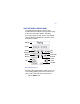
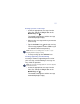
2. Do one of the following:
• Tap the Insert button, where you want to
add new voice text
• Tap the Append button at any time
• Tap the Overwrite button, where you
want to change the existing voice text
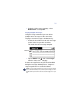
The Control Panel status bar displays the mode
of recording (Inserting, Appending, or
Overwriting) during the editing session.
3. To halt the recording, tap the Stop button .
SETTING BOOKMARKS ON YOUR VISOR HANDHELD
Bookmarks provide a simple way to return to
specific locations in a message. You can set up
to 10 bookmarks per message when the Voice
Recorder is installed in the Visor handheld.
CAUTION: Once bookmarks are set, you cannot reuse them until
you cut or overwrite the part of the message that contains the
bookmark, or delete the entire message.
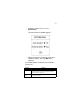
NOTE: If you attempt to set a bookmark and none are available,
the Control Panel status bar temporarily displays the message
“not bookmarked.”
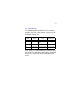
To create a bookmark, tap the Bookmark button
on the Control Panel while the message is
playing. The Control Panel status bar temporarily
displays the message “Bookmarked.”