
User's Manual
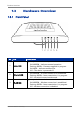
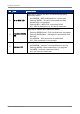
Table Of Contents
- Chapter 1: Product Overview
- Chapter 2: Installation
- Chapter 3: Configure the Computer
- Chapter 4: Access the Wireless Gateway
- Chapter 5: Technicolor Gateway
- Chapter 6: Broadband Connection
- Chapter 7: Toolbox
- Chapter 8: Home Network
Product Overview
1.3 Hardware Overview
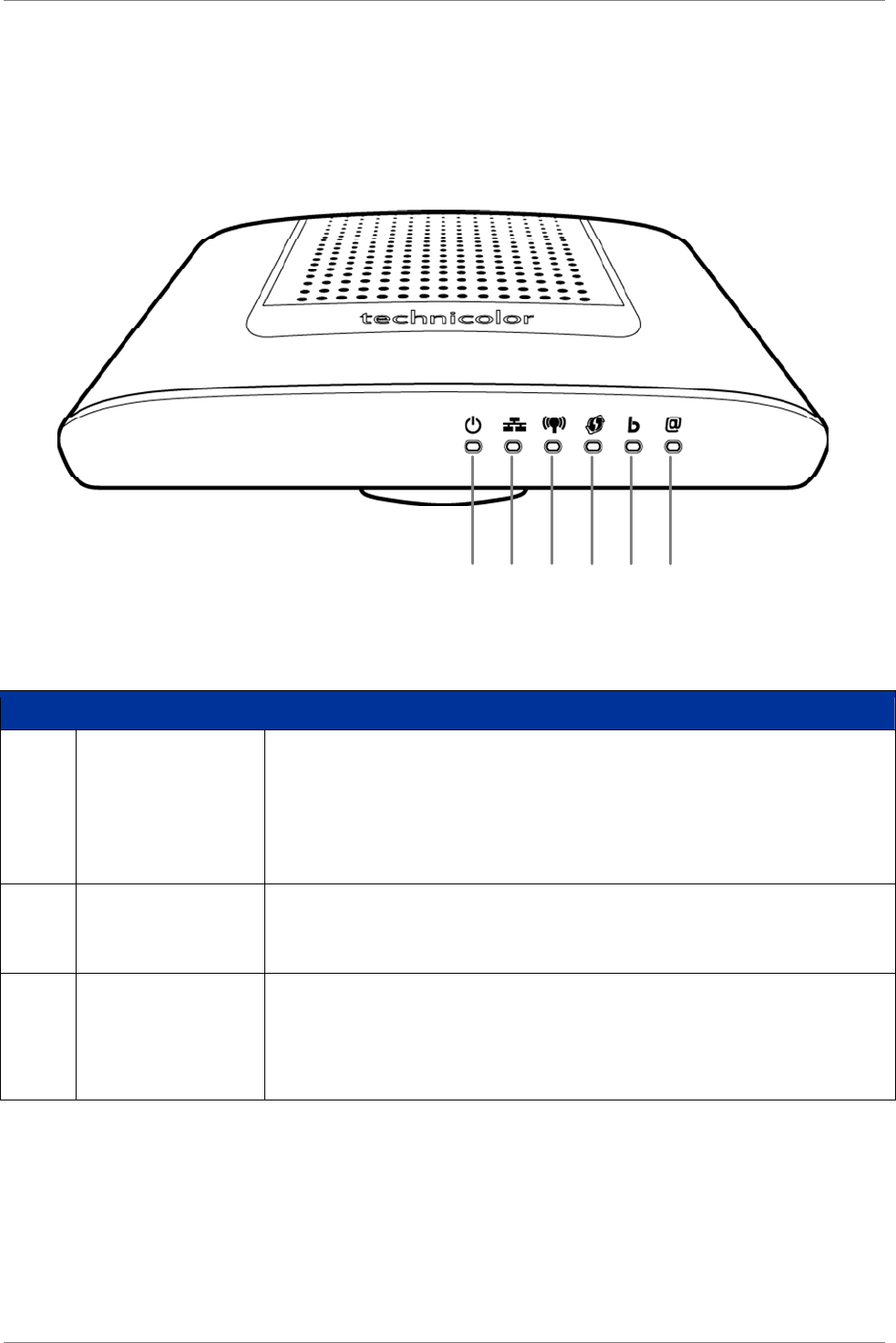
1.3.1 Front Panel
12345 6
No. LED Description
1 Power LED
Lights up when the device is powered on.
• Solid GREEN – Indicates normal operation.
• Flashing GREEN – Firmware upgrade in progress.
• Solid RED – Indicates malfunction.
• Off – The device is powered off.
2 Ethernet LED
• Solid GREEN – A wired connection is established.
• Flashing GREEN – Data transmission is in progress.
• Off – No wired connection detected.
3 WLAN LED
Lights up to indicate wireless connection.
• Solid GREEN – Wireless connection is established.
• Flashing GREEN – Data transmission is in progress.
• Off – Wireless connection is disabled.
Wireless ADSL2+ Gateway 7