
User manual

11N Wireless AP User Manual
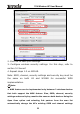
2. Click OK to save your settings.
3. Configure wireless security settings. For this step, refer to
section 5.2 hereof.
4. Repeat steps 1-3 on W316R.
Note: SSID, channel, security settings and security key must be
the same on both A3 and W316R for successful WDS
implementation.
Note:
1. WDS feature can be implemented only between 2 wireless devices
that both support the WDS feature. Plus, SSID, channel, security
settings and security key must be the same on both devices. Using the
Open Scan option and selecting link partner from the scan list
automatically change the AP’s existing SSID and channel settings
22