
User manual




10 Web server • LAN GATEWAY
English
LAN GATEWAY web server structure
In this chapter, the LAN GATEWAY web server structure will be described. Each section (Measurements, Counters, Recordings,
Status, Settings, Update, Users, Help) can be reached by:
clicking on the relevant item in the Home section•
clicking on the relevant item at the top of the window, under the language selection area•
NOTE: The following windows can change according to the account used for web server access (Administrator or User).
Measurements
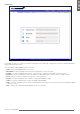
This section allows to display all the measured values of the connected counter.
Start key Enables the continuous measurements refresh, according to the set time rate (Page refresh time).
Stop key Disables the continuous measurements refresh.
Page refresh time eld It allows to set the time in seconds for the measured values refresh. To enable the refresh, press Start
key. Minimum refresh time is 5 seconds.
Configure key It allows to select the parameters to be displayed in this section. A window for selection is displayed.
Change key Changes the decimal separator. Available decimal separator: comma (,) or dot (.).
Print key It allows to print the measurements view. A print preview window is displayed. Press print item to
conrm.
Export key It allows to export the displayed measurements in a *.CSV format le. A conrming window is
displayed.