
User manual


Web server • LAN GATEWAY 11
English
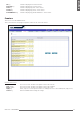
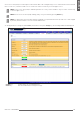
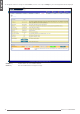
All key It allows to display all the measurements.
Real Time key It allows to display only real time values.
Total key It allows to display only total counter values.
Tariff 1 key It allows to display only tariff 1 counter values.
Tariff 2 key It allows to display only tariff 2 counter values.
Partial&Balance key It allows to display only partial and balance counter values.
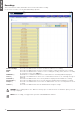
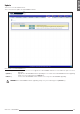
Counters
This area is reserved to Administrator.
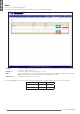
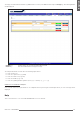
This section allows to start/stop/reset partial counters of the connected counter.
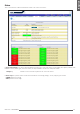
Partial Counters area
Start column Check the relevant checkbox of the partial counter to be started.
Stop column Check the relevant checkbox of the partial counter to be stopped.
Reset column Check the relevant checkbox of the partial counter to be reset.
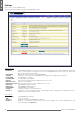
Apply key Starts, stops or resets the partial counters according to the selected checkbox (Start, Stop, Reset).
Cancel key Exits this window without saving the settings.