
User manual


12 Web server • LAN GATEWAY
English
Recordings
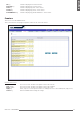
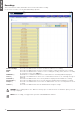
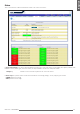
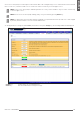
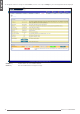
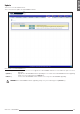
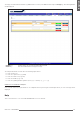
This section allows to enable, download or delete a measurement data recording.
In case of User account access only data downloading is possible.
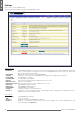
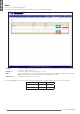
Enable recordings Reserved to the Administrator. Check this checkbox to enable the set recording.
Enable Reserved to the Administrator. Check the relevant checkbox to enable the parameter for recording.
Rate Reserved to the Administrator. It allows to set the recording rate (in days, hours, minutes or seconds).
To conrm the set rate, press Apply key.
Download key Downloads the recorded measurements in a *.CSV format le. A conrming window is displayed.
Clear key Reserved to the Administrator. Deletes the recorded measurements le. A conrming message is
displayed.
Select All key Reserved to the Administrator. Selects all the parameters displayed in this window for recording.
Deselect All key Reserved to the Administrator. Deselects all the parameters displayed in this window for recording.
Accept key Reserved to the Administrator. Reserved to the Administrator. Sets the selected parameters to be
recorded.
Cancel key Reserved to the Administrator. Exits this window without saving the settings.
WARNING: The recording mode is FILL. When the memory space is lled till 90% of its maximum capacity, an error
message is displayed.
NOTE: Before recording, it is suggested to synchronize LAN GATEWAY date and time.