
User manual


Web server • LAN GATEWAY 15
English
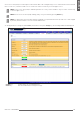
Socket Secure Shell (SSH) is a network protocol which allows data to be exchanged using a secure channel between two networked
devices. In this case, it allows to enable a secure channel for remote assistance by technical support service.
NOTE: Socket Secure Shell (SSH) is disabled by default for security reasons. Enable it only for remote assistance by
technical support service.
NOTE: After Socket Secure Shell (SSH) enabling, always carry out a reboot by pressing Reboot key.
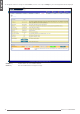
NOTE: It is suggested to synchronize date and time using NTP server (Network Time Protocol). NTP server can be stopped
by Firewall, for further details refer to the network administrator.
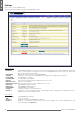
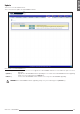
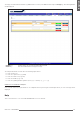
To change parameters settings for LAN GATEWAY, in Parameters area press Change key. The following window will be displayed.
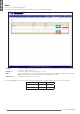
Confirm key Conrm and set the entered parameters.
Cancel key Exits this window without saving the settings.