
User manual


18 Web server • LAN GATEWAY
English
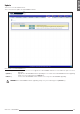
Users
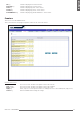
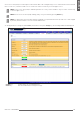
This area is reserved to Administrator.
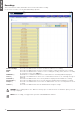
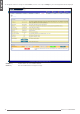
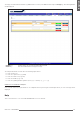
This section allows to change Administrator and User accounts (Username, Password).
Change key It allows to change Username and Password for the relevant account (Administrator or User). A new window
for account setup is displayed.
Remove key It allows to remove the corresponding User account.
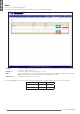
Add key It allows to add an User account (up to 20). Enter Username and Password in the proper elds, then press
Add key. The new User account will be generated and displayed in this page.
Remove all key It allows to remove all the User accounts.
At rst LAN GATEWAY web server access, the default Username and Password for Administrator and User are as follows:
Account Username Password
Administrator admin admin
User1 user user