
User manual



7
Let’s Get Started
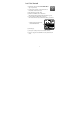
① Download and install the “tivizen DVB-T Wi-Fi”
app on your device.
② Connect your roof-top or external antenna on
the tivizen’s antenna connector.
③ Plug the tivizen into wall outlet.
④ Switch on POWER to turn on the tivizen.
Wait until the status and Wi-Fi indicator flashes in green.
⑤ Connect tivizen via Wi-Fi with your device.
Turn on the Wi-Fi and select the tivizen SSID on your device.
⑥ Run the app.
⑦ Select your country and scan for available channels.
⑧ Choose a program, use the EPG or record your favorite TV
show.
* SSID is displayed in the format
of "tivizenIPLUG xxxxx".