User's Manual
Manuals
Brands
TP-Link Technologies Manuals
Camera & Photo
Wireless Pan/Tilt Surveillance Camera
1
2
3
4
5
6
7
8
9
10
42
5.
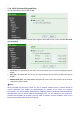
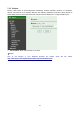
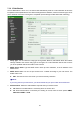
After type information, check your DDNS service.
6.
T
ype your DDNS User ID, Password and Host name in
Setting Network DDNS
. After
completing setting, reboot IP Camera.
1
...
...
5
6
7
8
9
...
...
46