Printer User Manual
Manuals
Brands
TRENDnet Manuals
Printer
TE100-PIP
81
82
83
84
85
86
87
88
89
90
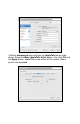
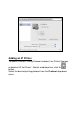
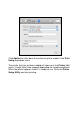
Cli
ck the
Advance
d
button and then the
A
p
pleT
alk
tab as s
how
below
.
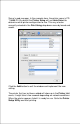
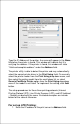
Select
the
Make A
p
pleT
alk Active
option, t
hen click
OK
and
the
A
ppl
y
button. AppleTalk i
s now
acti
v
e
on the sys
tem
.
Now
a
printer can be adde
d.
1
...
...
79
80
81
82
83
...
...
113