
User Guide







-7-
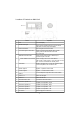
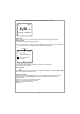
Every time you press the ► button, it will show the the big time clock at a time
My Favorite
This is to show the list of your Favorite stations which have been assigned to the presets.
Preset a station
You need a remote control to preset the station.
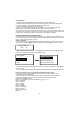
When a radio station is playing, press the button on the remote control, you will see the
icon appears as below. It means the station is added to the Favorite list.
Preset icon
The new added station will always show in the last item on the Favorite list.
You can store up to 99 presets
Recall a station
Press
the button on the remote control to recall the list of presets, or navigate to My Favourite
on the main menu and select it to confirm.
Edit your favorite list
On the Favorite list, choose the radio station you want to edit then press the [►] button on the
remote control (or press [Forward/►] on main unit ). It will enter the Edit menu with the
following options:
Move down - To move down the ranking of a station
Move up - To move up the ranking of a station
Delete - To delete a particular station
Preset icon
History
25 May,2020 Mon
8:50
AM
08:30 am
Radio Paloma Live
1/99 3:18>
T
Letzte Schmetterling
(Fly Away)