
User manual



15
DIGITAL TERRESTRIAL TERMINAL
USER MANUAL
At any time whilst watching or listening to Radio/Music services, you can obtain
information about the current programme and select available programmes via the
Information Plate.
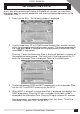
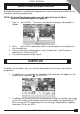
1 Press i on the RCU. The following window is displayed.
INFORMATION PLATE
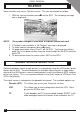
2 Use the arrow keys UP or DOWN to scroll through titles on other services,
whilst simultaneously watching the current service. The current programmes
are listed when NOW is selected and the programmes to follow are listed
when NEXT is highlighted.
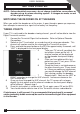
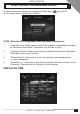
Pressing “i” while the Information Plate is displayed, provides a synopsis of
the programme being viewed. The Local time is also displayed on the TV
when the Information Plate is displayed. Refer to illustration below.
3 To alternate between NOW and NEXT programmes on the Information Plate,
use the LEFT and RIGHT arrow keys on the RCU.
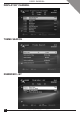
4 When NEXT is selected, an Information Plate is displayed that displays the
NEXT programme. Pressing OK sets a reminder and a clock symbol is
displayed on the Information Plate. Pressing OK again removes this reminder.
Next programmes cannot be viewed before their start times. To exit the
Information Plate, press EXIT on the RCU.