
User manual



----..-----------
-
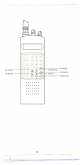
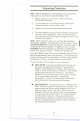
SEND KEY
LCD Display
~
when Auto Store is activated.) To stop Auto
Store, press [HLD], [MANUAL], or [AUTO].
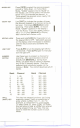
Press [SND] to transfer a displayed
frequency to any open (empty) bank channel.
When the bank Indicators start flashing,
press the numeric keys for the selected bank.
Then press [E) to complete the transfer.
BANK 1 2 3 4 5 6 7 8 9 10 11 12 13 14 15 16 17 18 19 20
TURBO SCAN PRI DLY AUTO SRCH COUNTqBAITA
P8 8 8 18 8 8. 8 8 8 8 MHz
HOLD UO WX 1 2 . 50KHz AM NFM WFM IKEYLOCKI
MEMORY BANK
NUMBERS
MODE
INDICATORS
STEP
INDICATOR
SIGNAL MODE
INDICATOR
LOW BATTERY
INDICATOR
CHANNEL
NUMBER
FREQU ENCY
NUMBER
'--.---
--- ._-~-~
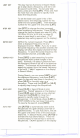
(1 through 20) Each memory bank consists
of 20 channels that you can select or
deselect during scanning operation, using the
numeric keypad. When you select a bank, its
number appears on the display. When you
deselect a bank, its number disapRears from
the display. When you press [MANUAL] to
stop scanning, only the bank of the current
channel appears.
Indicate the current mode(s) of operation
(TURBO,SCAN,PRI,DLY,AUTO,SRCH,COUNT,
.
HOLD, UO, WX,KEYLOCK). Each of these
modes is described in the Front Panel
features section, in the related key
description. Note: Only the active mode(s)
are displayed during operation.
Indicates the frequency step automatically
when the scanner moves through the
selected band. While searching for active
frequencies, you can change the factory
preset auto step to 5 kHz, 12.5 kHz,
25 kHz, 50 kHz, or press [.] twice to reset
back to auto steps. Note: Manually
selected steps are erased when you turn off
the power.
Displays the automatic signal selection: AM,
NFM, orWFM.
Appears on the display when the Battery
Pack is Iow and needs recharging.
Indicates the current channel that the
scanner IS on.
Indicates the frequency being received by the
scanner.
12
.--
=--
'"-"~=,o,..~...,.
,
I
\
I
i
I
I
!
,
I
I
I
i
I
I
I
I
I
!
I
I
I