
User's Manual

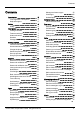
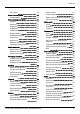
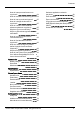
Table Of Contents
- Introduction
- Safety
- Your phone
- Getting started
- Explore
- Apps
- Vertu Services
- Text entry
- Calls
- Contacts
- Messaging and email
- Music
- Maps and navigation
- Personalising your phone
- Social networks
- Managing accounts
- Browser
- Camera
- Gallery
- Office tools
- Connectivity
- Phone management
- FAQs
- Questions
- How can I extend the battery life of my phone?
- Do I need a Google™ account to use my phone?
- How can I reduce my data costs, especially when abroad?
- How do I transfer music from my computer to my phone?
- How can I listen to my iTunes music library on my phone?
- How do I setup an email account on my phone?
- How do I transfer contacts to my phone?
- How do I set my music as ringtone?
- How do I change the font size on my phone?
- How do I check if I have the latest software updates on my phone?
- Why have I got no connectivity?
- Why is my internal storage less than advertised?
- How do I protect my phone from unauthorised use?
- How do I find the IMEI number of my phone?
- How can I clear the log of my calls or the list of people I have contacted fr...
- Why does my phone get warm?
- How do I set a photo as my wallpaper?
- Can I still use Google Maps if I do not have a data connection?
- Accessories
- Specifications
- Care of your phone
- Safety and warranty

Play music 38
Maps and navigation 40
Google Maps™ 40
Personalising your phone 41
Widgets 41
Shortcuts 41
Ringtones 41
Wallpapers 41
Assign sounds to actions 42
Display settings 42
Pulse notification light 42
Auto-rotate 43
Screen lock 43
Date and time settings 43
Language and input options 43
Social networks 44
Add an account 44
Delete an account 44
Synchronise contacts 44
Managing accounts 45
Configure sync options 45
Delete accounts 45
Backup and restore accounts 45
Browser 46
About the web browser 46
Connect to the internet 46
Add a bookmark 47
Privacy and security 47
Downloads 47
Camera 48
About camera 48
Take and share photos 49
Camera settings 49
Record and share a video 49
Video settings 50
Gallery 51
About Gallery 51
View and edit photos and videos 51
Share photos and videos 51
View an album 51
Create a folder 52
Assign contact images and wallpaper 52
Take a screenshot 52
Office tools 53
Clock 53
Calculator 53
Calendar 53
Connectivity 55
Wi-Fi 55
Bluetooth 55
Location services 56
Set your phone to sync with your
computer 56
Copy between the phone and a PC 57
Tethering and portable hotspot 57
NFC 57
Phone management 58
System update 58
Free up phone memory 58
Optimise data usage 58
Data roaming settings 59
Back up and restore your phone 59
Set your phone to lock automatically 59
Change your PIN code 59
Access codes 59
Master reset 60
Boot validation 60
FAQs 61
Questions 61
How can I extend the battery life of
myphone? 62
Do I need a Google™ account to use
myphone? 63
How can I reduce my data costs,
especially when abroad? 63
How do I transfer music from my
computer to my phone? 63
How can I listen to my iTunes music
library on my phone? 64
Contents
© 2015 Vertu Corporation Limited. All rights reserved. 3