
Use and Care Manual

- 9 -
Cleaning Page (E)
Cooling Page (F)
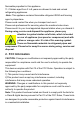
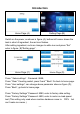
In the standby state, press “Wash” enter to figure (E) “Cleaning
Page” .the stirring motor runs, display screen shows the current value of
the current stirring motor. Press “ Stop” to enter the standby state.
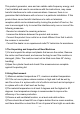
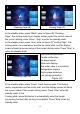
In the standby state, press “Auto” enter to figure (F) “cooling Page”, the
stirring motor, the compressor, and the fan motor start, and the display
screen shows the current value of the current stirring motor. Press “Stop” to
enter the standby state.
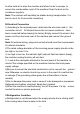
Cleaning Page (G)
High-pressure protection
Handle malfunction
No speed signal
Motor belt slipping
The outlet valve is not position
Refrigeration timeout
High voltage protection
Low voltage protection
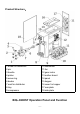
Figure (H)
In the standby state, press “Fresh”, fresh function open. The stirring
motor, compressor and fan motor start, and the display screen will show
the current value of the current stirring motor. Press “Stop” enter the
standby state. In the
Cooling state, press this button to automatically enter the trough
pre-cooling function after cooling is completed. Press “Stop” enter the
standby state.