
Operating instructions


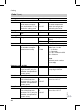

Implementing a user check (in conjunction with the LON sys-
tem with a weather-compensated control unit)
Communication with the system devices connected to the fault manager is
tested with a user check.
Preconditions:
&
The control unit must be progra mmed as fault mana ger (code "79:1") .
&
The LON user numb er must be progr ammed in all co ntrol unit s (see page 35).
&
ThefaultmanagerLONuserlistmustbeuptodate(seepage35).
A Consecutive number in the user
list
B User number
Press the follo wing keys:
1. L + d simultaneo usly for
approx. 2 s
The user check has been
initiated.
2. a/b for the required user.
3. d Activatingacheck.
"Check" flashes until its
completion. Th e display
and all key illuminations
for the selected user
flash for appr ox. 60 s.
&
"Check OK"isdis-
played during commu-
nication between both
devices.
&
"Check not OK"isdis-
played if there is no
communicati on
between both devic es;
check the LO N connec-
tion.
4. Repe at points 2 and 3 to che ck
further users.
5. L + d simultaneo usly for
approx. 1 s
The user check is com-
pleted.
Instructing the system user
The system installer must hand the operating instructions to the system user
and instruct him/her in the operation of the system.
Further details regarding the individual steps (cont.)
37
Initial start-up, inspection, maintenance
5692 619 GB