
Operating instructions


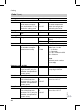

Scanning and resetting the "maintenance" display
The red fault indicator flashes when the limits set via coding addresses "21" and
"23" have been re ached. As regar ds the program ming unit displ ay:
&
For a constant temperature control unit:
The defaulted h ours run or the def aulted inter val with clock symb ol "u"(sub-
ject to setting)
&
For a weather-compen sated control uni t:
"Maintenance"
Note
Set code "24:1" and then code "24:0" if maintenance is carried out before main-
tenance is displayed; the set maintenance parameters for hours run and inter-
vals are then res et to 0.
Press the follo wing keys:
1. c The maintenance scan is
active.
2. a/b Scan maintenance mes-
sages.
3. d The maintenance display
will be cleared (for a
weather-compensated
control unit: "Acknowledge:
Yes" re-confirm with d).
The red fault display con-
tinues to flash.
Note
An acknowled ged maintenance mes-
sage can be redisplayed by pressing
d (approx. 3 s).
After maintenanc e has been carried out
1. Reset code "24:1" to "24:0".
The red fault ind icator extin-
guishes.
Note
A new mainten ance message wi ll
be displayed 7 days later, if coding
address "24" is n ot reset.
2. Reset the burner hours run, burner
starts and consumption, if required
Press the follo wing keys:
c Scanning is a ctive (see
page 67).
a/b for the selected value.
e the selected val ue will be
set to "0".
a/b for further scans.
d Scanning is c ompleted.
Further details regarding the individual steps (cont.)
38
Initial start-up, inspection, maintenance
5692 619 GB