
Operating instructions




12
Basic Operation
Handset Operation
Mute Function
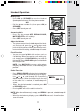
• During an active call, pressing the MUTE/
DELETE key will disable the microphone.
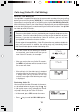
MICROPHONE MUTED will display
briefly:
• Press MUTE/DELETE again to return to
normal 2-way conversation. MICRO-
PHONE ON will display briefly.
Base Operation
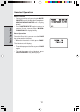
From the Base Unit, you can use the PAGE
key to locate the Handset.
• When the Handset is in idle, press PAGE.
The Handsets will display:
• To end the page at the Base, press PAGE
again.
• To end the page at the Handset, press
ON, SPEAKER or any dialing keys.