
Operating instructions




14
Basic Operation
VTech
595-9511
Phonebook Operation
Storing a New Entry
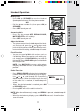
• Follow the steps on page 13 to Accessing
the Phonebook. Press
or to scroll to
STORE then press SEL/MENU.
• Enter the number you want to store in memory.
• Press and hold REDIAL/PAUSE to add pauses
if necessary.
• Press the DELETE key to backspace.
-OR-
• Press REDIAL/PAUSE, then
or to scroll
to the previously dialed number which you want
to store in the Phonebook. Press SEL/MENU.
• In case the number exceeds 12 digits, the top
line will be used to show the entire number.
Press SEL/MENU to confirm the number.
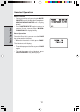
NOTE: If there is duplicate number in the Phone-
book, the display will show:
• You will then be prompted to ENTER NAME.
Use the digit keys to spell the name. If you make
a mistake, press the DELETE key to back-
space. When finished, press SEL/MENU.
• If there is space available in the Phonebook,
the name and number will be saved and the
Handset display the stored information for
around 30 seconds.
NOTE: If the Phonebook is full, the Handset will
display PHONEBOOK IS FULL and return to the
phone book sub-menu.
Reviewing/Dialing from the Phonebook
A number can be reviewed and dialed from the
Phonebook by:
• Follow the steps on page 13 for Accessing the
Phonebook. With REVIEW in the first line,
press SEL/MENU.
-OR-
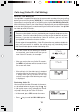
With the Handset idle, press the
key. The
Handset will go into the Phonebook search
menu. The first Phonebook entry will be shown.