
Operating instructions




15
Basic Operation
VTech Com
VTech Com
VTech Com
Phonebook Operation
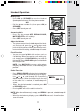
• Scroll through the Phonebook entries using
the or keys or enter the first character of
the name (using the digit keys). Continue navi-
gating using the
or scroll keys, until you
reach the entry to be dialed.
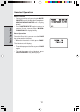
• If the number in the Phonebook is longer than
16 digits, <* or #> will display.
NOTE: Press * or # to view phone numbers longer
than 16 digits.
• Press ON or SPEAKER to dial the number.
Editing a Phonebook entry
• Follow the two steps in Reviewing/Dialing from
the Phonebook to reach the entry to be edited.
• Press SEL/MENU to enter number edit mode.
• Press DELETE to backspace then enter the
correct number. Press and hold REDIAL./PAUSE
to add pauses if necessary.
You can also press REDIAL/PAUSE, then
or
to scroll to previously dialed numbers you want
to store in the Phonebook. Press SEL/MENU.
• Press SEL/MENU to to enter name edit mode.
Press DELETE key to backspace and use the
digit keys to enter the correct name.
• Press SEL/MENU to confirm the change. A con-
firmation tone will sound.
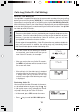
Delete a Phonebook Entry
• Follow the two steps in Reviewing/Dialing
from the Phonebook to reach the entry to be
deleted.
• Press DELETE.
The Handset will then move to the next entry, if
any.
VTech Com
VTech
595-9511