
Operating instructions




18
Basic Operation
Calls Log (Caller ID - Call Waiting)
Deleting Caller ID
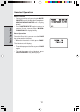
• Follow the steps in Reviewing Caller ID to
scroll to the record to be deleted.
• Press DELETE key to erase the desired record.
A confirmation tone will sound and the previous
Caller ID record will be displayed.
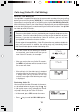
• To delete all the Caller ID records, press and
hold the DELETE key. The screen will ask you
DELETE ALL CALLS? Press SEL for confir-
mation. Or, press OFF to return to the CID
record previously displayed.
VTech Com