
Operating instructions




19
Basic Operation
Handset Settings
Ringer Volume
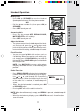
• From the idle (OFF) mode, press SEL then
the or keys to RINGER VOLUME.
• Press SEL/MENU again. The current ringer
volume will be shown:
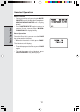
• Press the
or keys or enter digit 0-6 to
the desired ringer volume. The current ring
tone is played and the volume bar is in-
creased/decreased each time the setting is
adjusted. At the lowest setting, display will
show:
The Handset will not ring when a call comes
in if Ringer Volume is setted to the lowest set-
ting.
• Press SEL/MENU to confirm.
Ringer Tone
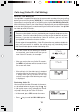
• From the idle (OFF) mode, press SEL then
the
or keys to RINGER TONE.
• Use the
or keys to select the desired
option.
• Press SEL/MENU again. Use the
or
keys or enter digits 0-9 to sample the ring
tones. The screen, will show:
• Press SEL/MENU to confirm.
Key Tone (preset to ON)
• From the idle (OFF) mode, press SEL/MENU
then the
or keys to KEY TONE.
• Press SEL/MENU again. The current setting
will be shown. Use the or keys to scroll
to ON or OFF. When set to ON, the Handset
will emit a beep whenever a key is pressed.
• When the desired option is shown, press SEL/
MENU to confirm your selection.