
User's Manual
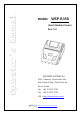

WSP-R350 Rev. 1.0
http://www.woosim.com
6
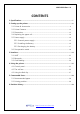
CONTENTS
1. Specifications ..............................................................................................................................7
2. Setting up the printer ...............................................................................................................9
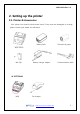
2.1. Printer & Accessories .................................................................................................. 9
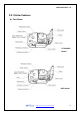
2.2. Printer Features .......................................................................................................... 10
2.3. Dimensions ................................................................................................................. 12
2.4. Replacing the paper roll ........................................................................................... 14
2.5. Power supply .............................................................................................................. 16
2.5.1. Internal power supply...................................................................................... 16
2.5.2. Installing the Battery ....................................................................................... 16
2.5.3. Recharging the battery ................................................................................... 17
2.6. Set operation mode .................................................................................................. 18
3. Interface ...................................................................................................................................... 23
3.1. UART ............................................................................................................................ 23
3.2. Bluetooth ..................................................................................................................... 24
3.3. Card Reading .............................................................................................................. 24
4. Using the printer ...................................................................................................................... 25
4.1. Control panel .............................................................................................................. 25
4.2. The self test ................................................................................................................ 26
4.3. Using the Belt clip ..................................................................................................... 27
5. Consumable Parts .................................................................................................................... 28
5.1. Recommended paper................................................................................................ 28
5.2. Printing position ........................................................................................................ 28
6. Revision History ....................................................................................................................... 29