All in One Printer User Manual
Manuals
Brands
Xerox Manuals
All in One Printer
3535
71
72
73
74
75
76
77
78
79
80
1–54
Xerox Doc
uColor 3535
Printer/Co
pier
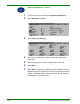
1
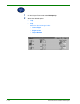
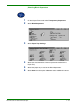
On the
Output Format
tab
select
Multipl
e Up
.
2
Select the desired option
:
•
1 Up
•
2 Up
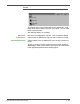
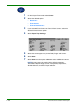
Select the desired Image Order
:
•
Left to Righ
t
•
Right to Left
•
T
op to Bottom
1
...
...
70
71
72
73
74
...
...
268