
Continuous Feed Duplex Printe Operator Guide

DEFINING A PAPER PATH DEFINING PRODUCTION JOBS
Page 7-24 Xerox 495 Continuous Feed Duplex Printer Operator Guide
Reviewing installed devices
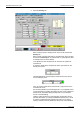
You can review the settings for any device from the Device tab.
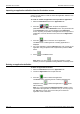
1. Select the Definitions tab, the Line tab, then the Device tab.
2. Choose a Device from the pull-down list.
Details of the device are shown on the screen.
Note: Only devices defined for your configuration are listed.
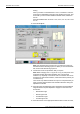
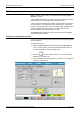
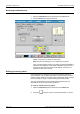
Once you have selected a device, the image changes and details of
that device are displayed. These details include the network name, if
a printer has been selected and the PLB address, if the device is
connected to the Print Line Bus.
Defining processing marks
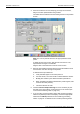
Processing marks are required by some post-processing devices for
synchronization. You can define the number of marks and the size and
position of these marks for each side of the printed page. Refer to "Valid
print area (VPA)" on page 7-37 before defining processing marks.
The exact specifications for these marks will be determined by the
manufacturer of the post processing equipment.
To create or amend processing marks:
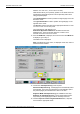
1. Select the Definitions tab, the Line tab, then the Marks tab.
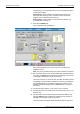
2. Press the button to create a new marks definition or choose