
User's Manual

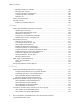
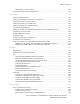
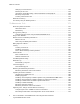
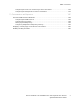

Table Of Contents
- System Administrator Guide
- 1 Introduction
- 2 Initial Setup
- Physically Connecting the Printer
- Using the Installation Wizard
- Configuration Report
- Remote Control Panel
- Accessing Administration and Configuration Settings
- Initial Setup at the Control Panel
- Initial Setup in the Embedded Web Server
- Assigning a Name and Location to the Printer
- Displaying the IPv4 Address on the Home Screen
- Restricting Access to the Printer
- Selecting Apps to Appear on the Control Panel
- Setting the Date and Time
- Setting the Sounds Using the Embedded Web Server
- Supplies Plan Activation Code
- Configuring Ethernet Options
- Configuring USB Settings
- Connecting the Printer to Wireless Networks
- 3 Network Connectivity
- Connecting to a Wireless Network
- Wi-Fi Direct
- USB
- NFC
- AirPrint
- Google Cloud Print
- Mopria
- Multicast DNS (Bonjour)
- FTP
- SFTP
- HTTP
- IP
- IPP
- LDAP
- LPD
- Raw TCP/IP Printing
- S/MIME
- SMTP
- SMB
- SNMP
- SNTP
- SOAP
- WSD
- 4 Security
- Setting Access Rights
- Configuring Authentication Settings
- Configuring Authorization Settings
- Roles and Levels of Access
- Adding a New Device User Role
- Creating a Custom Printing User Role
- Copying an Existing Device User Role
- Copying an Existing Printing User Role
- Editing a Device User Role
- Editing a Printing User Role
- Adding Members to a Role
- Removing Members from a Role
- Deleting a Device User Role
- Deleting a Printing User Role
- Editing Guest Access
- Configuring LDAP Permissions Groups
- Enabling Firmware Verification
- Configuring Feature Enablement
- Enabling a Software Option
- Security Certificates
- Certificates for the Embedded Web Server
- Installing Certificates
- Selecting a Certificate
- Importing a Certificate
- Creating and Installing a Xerox Device Certificate
- Creating a Certificate Signing Request
- Deleting a Certificate
- Enabling Automatic Self-Signed Certificates
- Enabling Certificate Path Validation
- Configuring Settings for Certificate Revocation
- Configuring the Printer for Smart Cards
- Managing Disk Drives
- Managing Network Security Settings
- Setting System Timeouts
- USB Port Security
- 5 Printing
- Setting System Defaults and Policies for Printing
- General Printer Settings
- Changing the Tray Settings
- Configuring Policies for Print Jobs
- Setting Paper Size Preferences
- Enabling an Automatic Startup Page
- Configuring Settings for Custom Paper
- Configuring Settings for Memory and Print Job Types
- Enabling the Policy for Paper Size Substitution
- Configuring a Bypass Tray Confirmation
- Specifying Behavior After an Error
- Managing Banner Pages
- UNIX, Linux, and AS/400 Printing
- Configuring Defaults for Printer Reports
- 6 Copying
- 7 Scanning
- Scanning Setup Overview
- Setting System Defaults and Policies for Scanning
- Setting Up Scanning to an FTP Server
- Setting Up Scanning to an SFTP Server
- Setting Up Scanning to an Email Address
- Configuring the Email App
- Setting Up Scanning to an Email Address That Uses a Third-Party Provider
- Configuring the Scan To App
- Enabling WSD Scan Services
- Scanning to USB
- Scanning to My Folder on the Printer
- Configuring Scan To Desktop
- Setting Up Scanning to a Shared Windows Folder Using SMB
- 8 Faxing
- Fax Overview
- Enabling the Fax or Server Fax Apps
- Fax
- Setting System Defaults and Policies for Faxing
- Modifying the Default Settings in the Fax App
- Creating Predefined Comments for a Fax Cover Sheet
- Configuring General Settings and Policies
- Configuring the Fax Settings at the Control Panel
- Configuring Settings for Fax Send in the Embedded Web Server
- Configuring Settings for Fax Receive in the Embedded Web Server
- Configuring Settings for Fax Dialing in the Embedded Web Server
- Configuring Settings for Fax Paper Output in the Embedded Web Server
- Configuring Settings for Fax Performance in the Embedded Web Server
- Enabling Use of a Native Fax App in the Embedded Web Server
- Enabling the Remove Blank Pages Option
- Configuring Fax Over IP
- Printing Fax Reports
- Configuring Presets for Original Page Sizes
- Editing the Address Book
- Configuring Basic Fax Line Settings
- Server Fax
- 9 Accounting
- 10 Administrator Tools
- Monitoring Alerts and Status
- Energy Saving Settings
- Entry Screen Defaults
- Remote Services and Billing Information
- Billing Impression Mode
- Cloning
- Address Books
- Font Management Utility
- Network Logs
- Customer Support
- Resetting and Restarting the Printer
- Updating the Printer Software
- Checking the Software Version
- Enabling Upgrades
- Installing and Configuring Software Updates Using the Embedded Web Server
- Installing and Configuring Software Updates from the Control Panel
- Installing Software after a Software Update Notification
- Installing Software Manually
- Resetting the Printer Settings
- Restarting the Printer at the Control Panel
- Adjusting Color, Image, and Text Detection Settings
- 11 Customization and Expansion
4
Xerox
®
VersaLink
®
Series Multifunction and Single Function Printers
System Administrator Guide
Connecting to a Wireless Network.......................................................................................... 36
Configuring Wi-Fi from the Embedded Web Server ........................................................... 36
Connecting to a Wi-Fi Network at the Control Panel ......................................................... 37
Configuring the Primary Network at the Control Panel...................................................... 38
Configuring the Primary Network From the Embedded Web Server................................... 39
Configuring Wi-Fi Using a Direct Connection to the Printer............................................... 39
Disabling Wireless Networking ......................................................................................... 40
Wi-Fi Direct............................................................................................................................ 41
USB ....................................................................................................................................... 43
NFC ....................................................................................................................................... 44
AirPrint .................................................................................................................................. 45
Enabling AirPrint .............................................................................................................. 45
Configuring AirPrint for IPP Authentication ...................................................................... 45
Importing a Security Certificate for AirPrint...................................................................... 46
Configuring AirPrint for Software Updates ....................................................................... 46
Checking Printer Supplies in AirPrint ................................................................................. 46
Google Cloud Print ................................................................................................................. 47
Mopria................................................................................................................................... 48
Multicast DNS (Bonjour) ........................................................................................................ 49
FTP ........................................................................................................................................ 50
SFTP ...................................................................................................................................... 51
HTTP ..................................................................................................................................... 52
Configuring HTTP Settings in the Embedded Web Server.................................................. 52
Wi-Fi Direct...................................................................................................................... 53
Enabling HTTPS at the Control Panel................................................................................ 54
Enabling HTTPS Using the Embedded Web Server............................................................ 54
IP .......................................................................................................................................... 55
Configuring IP Settings at the Control Panel .................................................................... 55
Configuring IP Settings in the Embedded Web Server....................................................... 56
IPP......................................................................................................................................... 60
LDAP...................................................................................................................................... 61
Adding LDAP Server Information...................................................................................... 61
Confirming LDAP User Mappings ..................................................................................... 62
Configuring LDAP Authentication..................................................................................... 62
LDAP Custom Filters......................................................................................................... 63
Configuring LDAP to Access Address Book Information .................................................... 64
LPD........................................................................................................................................ 65
Raw TCP/IP Printing ............................................................................................................... 66
Configuring Raw TCP/IP Settings ..................................................................................... 66
S/MIME ................................................................................................................................. 67
SMTP..................................................................................................................................... 68
SMB....................................................................................................................................... 70
SNMP .................................................................................................................................... 71
Configuring SNMPv1/v2c ................................................................................................. 71
Configuring SNMPv3........................................................................................................ 72
SNTP ..................................................................................................................................... 74
Table of Contents