User's Manual
Manuals
Brands
Xerox Manuals
Printers
Xerox Phaser 7800
111
112
113
114
115
116
117
118
119
120
Troubleshooting
120
Phaser 78
00 Color Printer
User Guide
4.
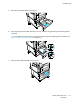
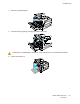
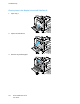
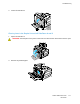
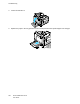
Close Left Side Door A
.
5.
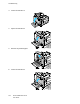
Replace the pape
r in the tr
ay specified o
n the control
panel with the s
p
ecified
paper size and
type.
1
...
...
118
119
120
121
122
...
...
178