
U.M. Android v5.1.1
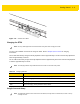
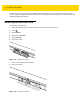
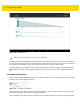
Table Of Contents
- Revision History
- Table of Contents
- About This Guide
- Chapter 1 Getting Started
- Chapter 2 Using the Tablet
- Introduction
- Google Mobile Services
- Home Screen
- Applications
- Suspend Mode
- Rebooting the ET5X
- Chapter 3 Applications
- Chapter 4 Wireless
- Chapter 5 Data Capture
- Chapter 6 Accessories
- Chapter 7 Maintenance and Troubleshooting
- Appendix A Specifications
- Index

Getting Started 1 - 11
Turning Off the ET5X
To turn off the device:
1. Press and hold the power button until the menu appears.
Figure 1-15 Power Menu
2. Touch Power off.
Turning Off the Display
To turn off the display press and release the power button.
Battery Management
To check the charge status of the main battery:
1. Swipe down with two fingers from the status bar to open the quick access panel and then touch .
2. Touch About device > Status.
Battery status indicates that the battery is discharging (not charging) and Battery level lists the battery charge (as
a percentage of fully charged).
Monitor Battery Usage
The Battery screen lists which applications consume the most battery power. Also use it to turn off applications that
were downloaded if they are consuming too much power.
1. Swipe down with two fingers from the status bar to open the quick access panel and then touch .
2. Touch Battery.