
U.M. Android v6.0.1
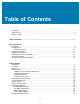
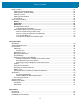

Table Of Contents
- Copyright
- Terms of Use
- Revision History
- Table of Contents
- About This Guide
- Getting Started
- Using the Tablet
- Introduction
- Google Mobile Services
- Home Screen
- Applications
- Suspend Mode
- Rebooting the ET5X
- Applications
- Wireless
- Data Capture
- Expansion Back
- RS507 Hands-Free Imager
- RS6000 Bluetooth Ring Scanner
- Scanning Considerations
- Imaging
- Bar Code Capture Using the SE4750 Expansion Back
- Bar Code Capture Using RS507 Hands-Free Imager
- Bar Code Capture Using RS6000 Bluetooth Scanner
- Bar Code Capture with DS36X8 Scanner
- Pairing the RS507/RS6000 Using SSI
- Connecting a DS3608 USB Scanner
- Pairing a DS3678 Bluetooth Scanner
- Accessories
- Maintenance and Troubleshooting
- Specifications
- Index

Table of Contents
7
Connecting Using Simple Serial Interface ............................................................................... 105
Connecting Using HID Mode ................................................................................................... 105
Pairing a DS3678 Bluetooth Scanner ........................................................................................... 106
Pairing Using Simple Serial Interface ...................................................................................... 106
Pairing a DS3678 Scanner Using Human Interface Device .................................................... 107
Accessories
Introduction ................................................................................................................................... 108
Charge Only Cradle ...................................................................................................................... 111
Installing the Insert .................................................................................................................. 112
Charging the ET5X .................................................................................................................. 112
Communication and Charging Cradle ........................................................................................... 114
Installing the Insert .................................................................................................................. 115
Charging the ET5X .................................................................................................................. 116
Rugged Communication and Charging Cradle ............................................................................. 118
Charging the ET5X .................................................................................................................. 119
4-Slot Charge Only Cradle ............................................................................................................ 122
Insert Installation ..................................................................................................................... 122
Power Setup ............................................................................................................................ 123
Insert Tablet into Slot .............................................................................................................. 124
ET5X without Rugged Frame ............................................................................................ 124
ET5X with Rugged Frame ................................................................................................. 124
Charging th Battery ................................................................................................................. 125
Rugged Charge Connector ........................................................................................................... 126
Power Pack ................................................................................................................................... 128
Charging the Power Pack ....................................................................................................... 129
Using Cradle ..................................................................................................................... 129
Using USB Power Adapter ................................................................................................ 129
Using the 4-Slot Battery Charger ............................................................................................ 130
Charging the Power Pack ....................................................................................................... 130
Maintenance and Troubleshooting
Introduction ................................................................................................................................... 132
Maintaining the ET5X .................................................................................................................... 132
Battery Safety Guidelines ............................................................................................................. 132
Cleaning ........................................................................................................................................ 133
Materials Required .................................................................................................................. 133
Cleaning the ET5X .................................................................................................................. 133
Housing ......................................................................................................................
....... 133
Display .............................................................................................................................. 133
Power Connector .............................................................................................................. 133
Cleaning Cradle Connectors ................................................................................................... 134
Cleaning Frequency ................................................................................................................ 134
Troubleshooting ............................................................................................................................ 135
Diagnostic Tool ....................................................................................................................... 135
ET5X ....................................................................................................................................... 135
Charge Only Cradle ................................................................................................................ 136
Communication and Charging Cradles ................................................................................... 137
Expansion Backs ..................................................................................................................... 137