
User Manual


Note:
• Turn on your phone before connecting the phone to a PC by USB cable.
1. Use a USB cable to connect the phone with a computer. The phone will
automatically detect a USB connection.
2. A notification will pop up on the screen displaying USB connected, select the
desired USB operation.
3. The USB connection has been successful.
Wireless:
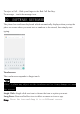
1. Select “Settings”.
2. Select “Wi-Fi” and slide OFF to ON status.
3. All detected wireless networks in the area will be listed. Click to select desired
wireless connection.
4. Enter network key if necessary.
5. Once connected to a wireless network, settings will be saved.
6. Wireless icon will appear on the taskbar when connected successfully.
Note:
• When the phone detects the same wireless network in the future, the device will
connect tohe network automatically with the same password record.
11. HOW TO CONNECT TO A COMPUTER
12. CONNECTION TO INTERNET