
User Manual
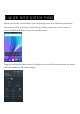
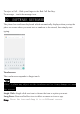

Through this menu, it is possible to modify the functions such as brightness, auto
rotation, Wi-Fi, Bluetooth and more.
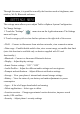
The settings menu allows you to adjust Tablet cellphone System Configuration.
To Change Settings:
1. Touch the “Settings” menu icon on the Application menu. The Settings
menu will open.
2. Touch a category title to view further options on the right side of the screen.
• Wi-Fi – Connect to/disconnect from wireless networks, view connection status
• Data usage – Enable/disable mobile data, view current usage, set mobile data limit
(note: this function is available only on devices supplied with 3G card
functionality)
• Bluetooth – Connect or disconnect Bluetooth devices
• Display – Adjust display settings
• Smart Gesture settings – “ON” / “OFF”
• Audio Profiles – Adjust the different audio settings such as ringtones
• Prompts and notifications – Adjust different notification settings
• Storage – View your phone’s internal and external storage settings
• Battery – View the status of your battery and make adjustments to power
consumption
• Apps – A list of all apps downloaded and running
• Delete applications – Select apps to delete
• Location services – Change approximate location detection, improve search
results, GPS satellites
• Security – Adjust phone’s security settings
6. SETTINGS MENU