
User Manual

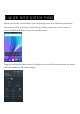
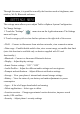
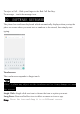

• Accounts – Add or remove email and Google accounts such as Gmail, Google
• Language and input Select language – add to the dictionary, edit on-screen
keyboard settings, vocal search, etc.
• Backup and reset – Backup and restore data, perform factory reset, etc.
• Date and time – Set date, time zone, time, clock format etc.
• Accessibility – Set up large text, auto-rotate screen, speak password etc.
• About Phone – Displays information about your phone
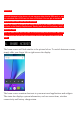
1. When phone is powered off insert a SIM card by removing the SIM cover as
illustrated above, insert your finger in the indent located near the charging port and
unclip the SIM cover, then insert the SIM card. Please take note of the direction of
insertion following the diagram on the phone’s SIM port.
2. After inserting a SIM card, turn on the phone and wait a few minutes for your
phone to display Network information.
Inserting and Removing TF Card
NB: Please ensure when inserting an SD card your phone is powered “OFF”
1. Insert the TF card into the TF card slot located under the SIM card cover as
explained in the Inserting/Removing SIM card section. Gently push TF card into
slot until it clicks into place.
2. A prompt will be seen on the screen saying “Preparing SD card”.
Removing TF Card
1. Close all applications and documents which have been opened from the TF card.
2. Select “Settings” and find “Storage” then click “Unmount SD card”.
3. A prompt will be seen on the screen saying “SD card safe to remove”.
4. Gently press the TF card to remove and pull out the TF card.
7. INSERTING/REMOVING SIM CAEDS